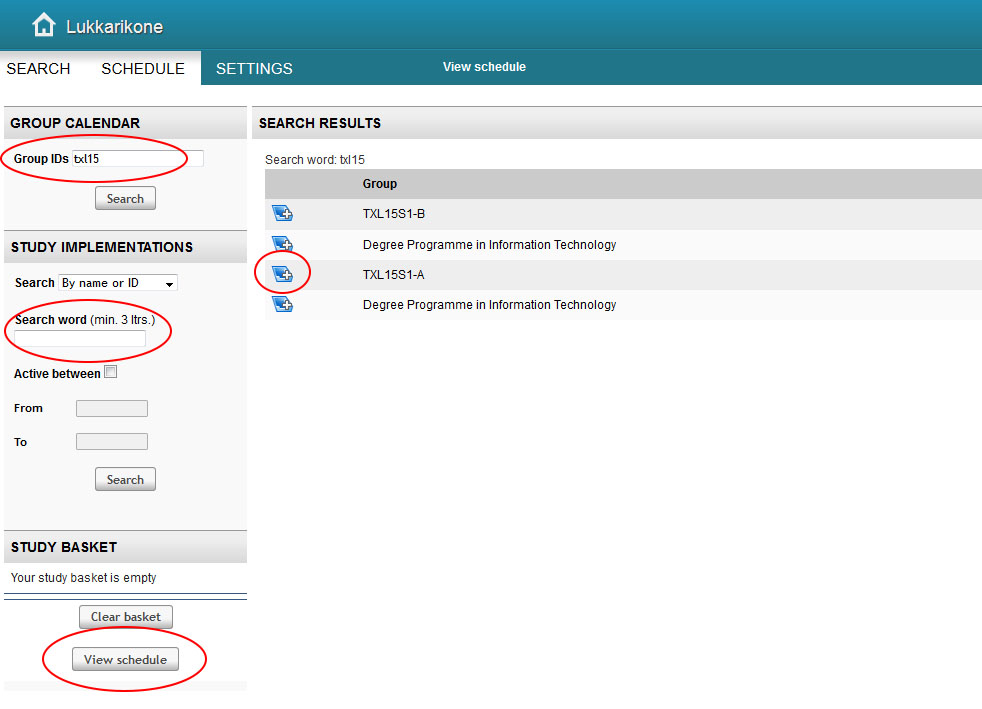
Search for a course by the course code or course title or
Double Degree students in the field of business can also use the Group ID
For example, try searching Finnish for exchange students
Type the name of the course under Search word
Click the small basket icon
Click View schedule
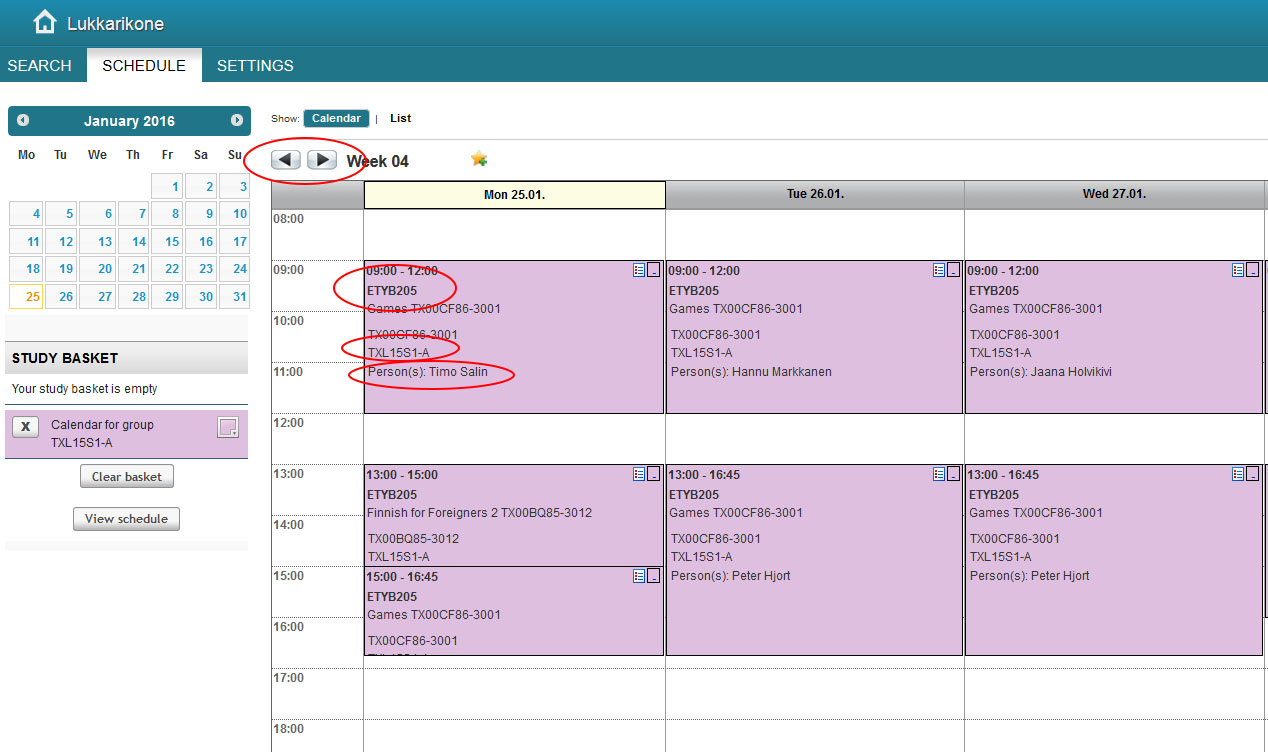
In the schedule view, you can
Browse through different weeks and see the timing of the course by clicking the arrows
In the coloured timeslot box, see the classroom for each course, the implementation code and the names of the teachers/contact persons
If you click the timeslot box, more detailed information will open up for you, for example information on the enrolment period during which you should enrol on that course